Your character, on a page you can play from
Battlesheets turns a D&D Beyond character into a printable sheet built for the table rather than the website. Everything you reach for on your turn is on the page, sorted by what it costs you, with tick boxes for everything you have to track. Most characters fit on one or two pages.
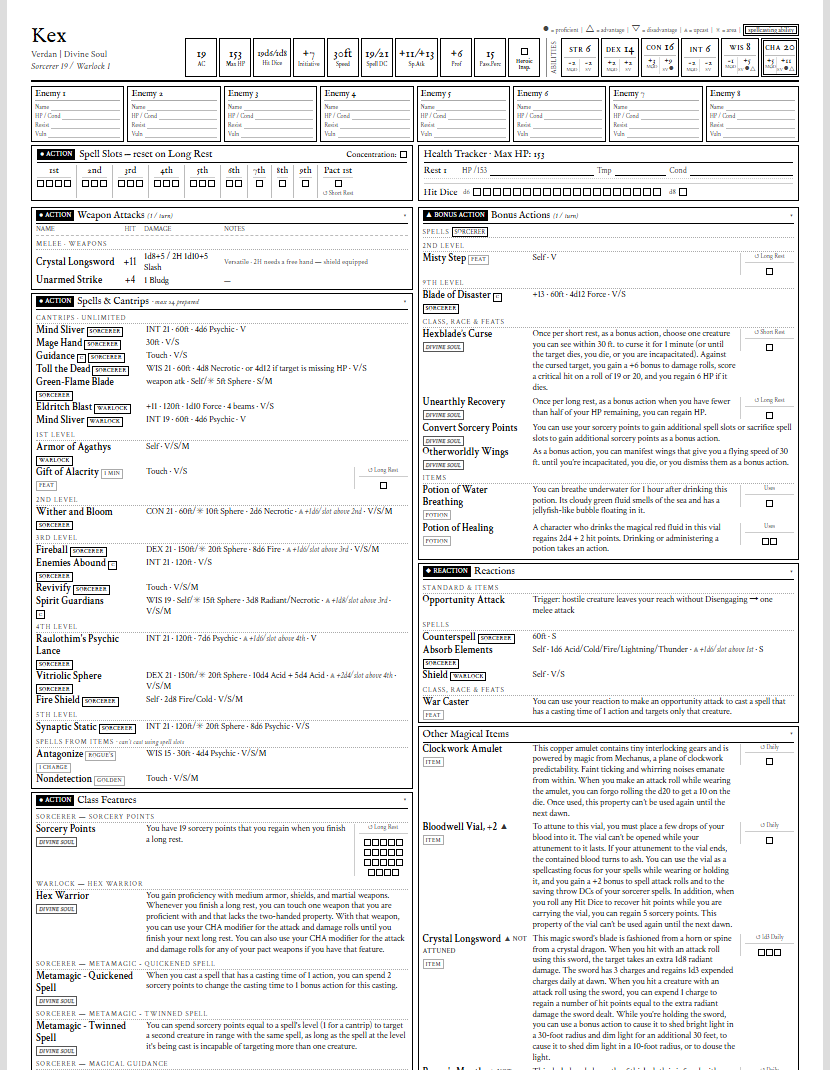
Organised by what it costs you
Actions, bonus actions and reactions each get their own card, and your spells, class features, feats and items are sorted into them. On your turn you look in one place to see what you can still do.
Passive benefits sit on a card of their own, out of the way of the things you actually choose to use.
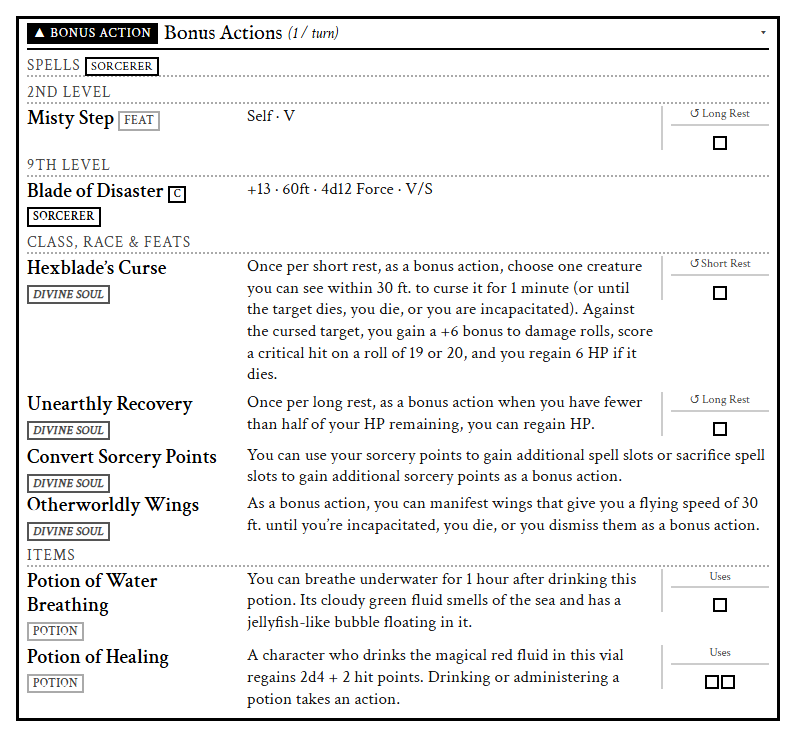
Tick boxes for everything you track
Anything with limited uses gets boxes, labelled with how it comes back: a long or short rest, dawn, rolling Initiative, or a rolled number of rests.
That includes magic items, even when D&D Beyond only describes the recharge somewhere in the item’s own text.
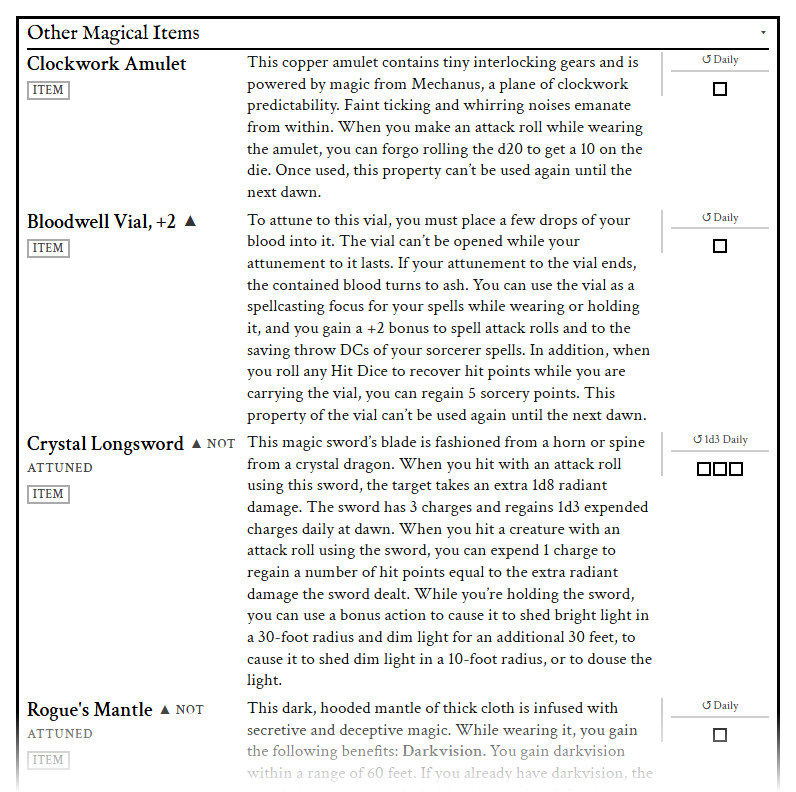
Every attack worked out
To-hit and damage are calculated for each weapon, with two-handed and off-hand options shown alongside.
Items that let you attack in their own way get a row too, like a Shield of the Cavalier’s Forceful Bash, even though D&D Beyond’s own attack list leaves them out.
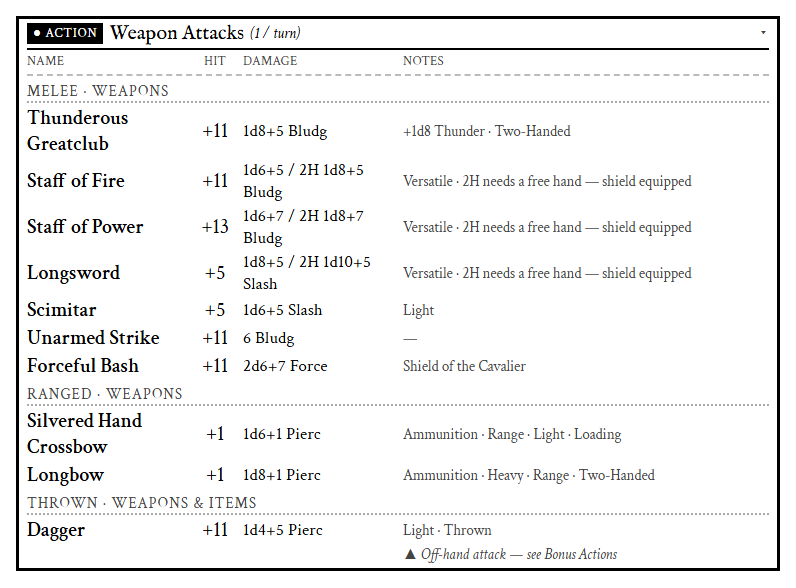
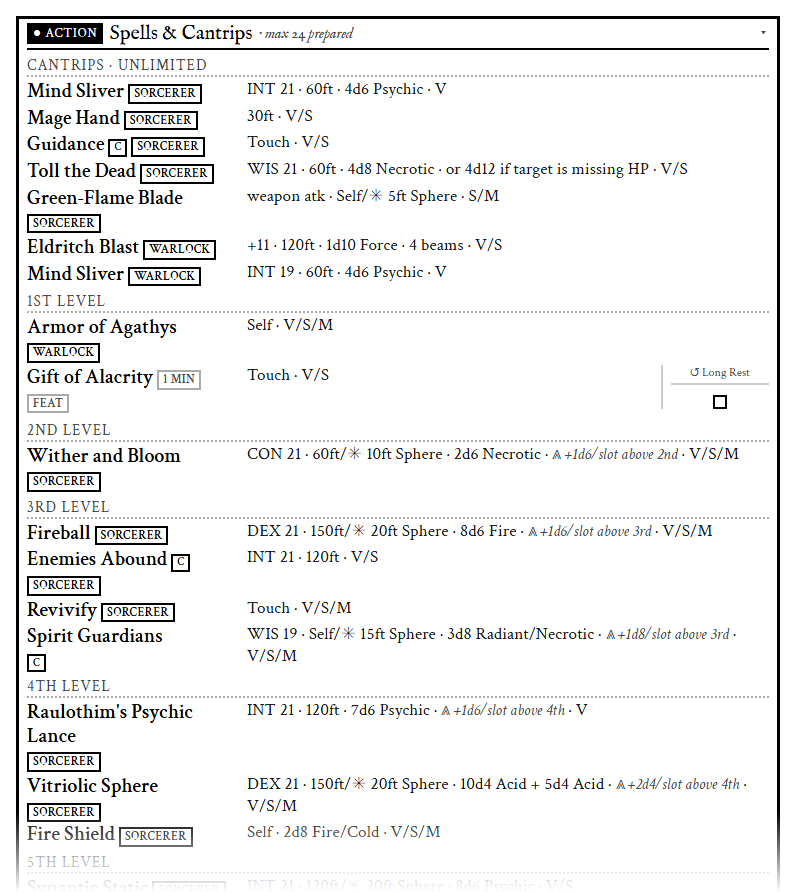
Spells with the numbers already on them
Save DC, range, area, damage and what an upcast adds are right on the row, with tags showing where each spell comes from and whether it needs concentration.
Prefer a spell book? There’s a full printable one, or a custom one where you tick exactly which spells go in.
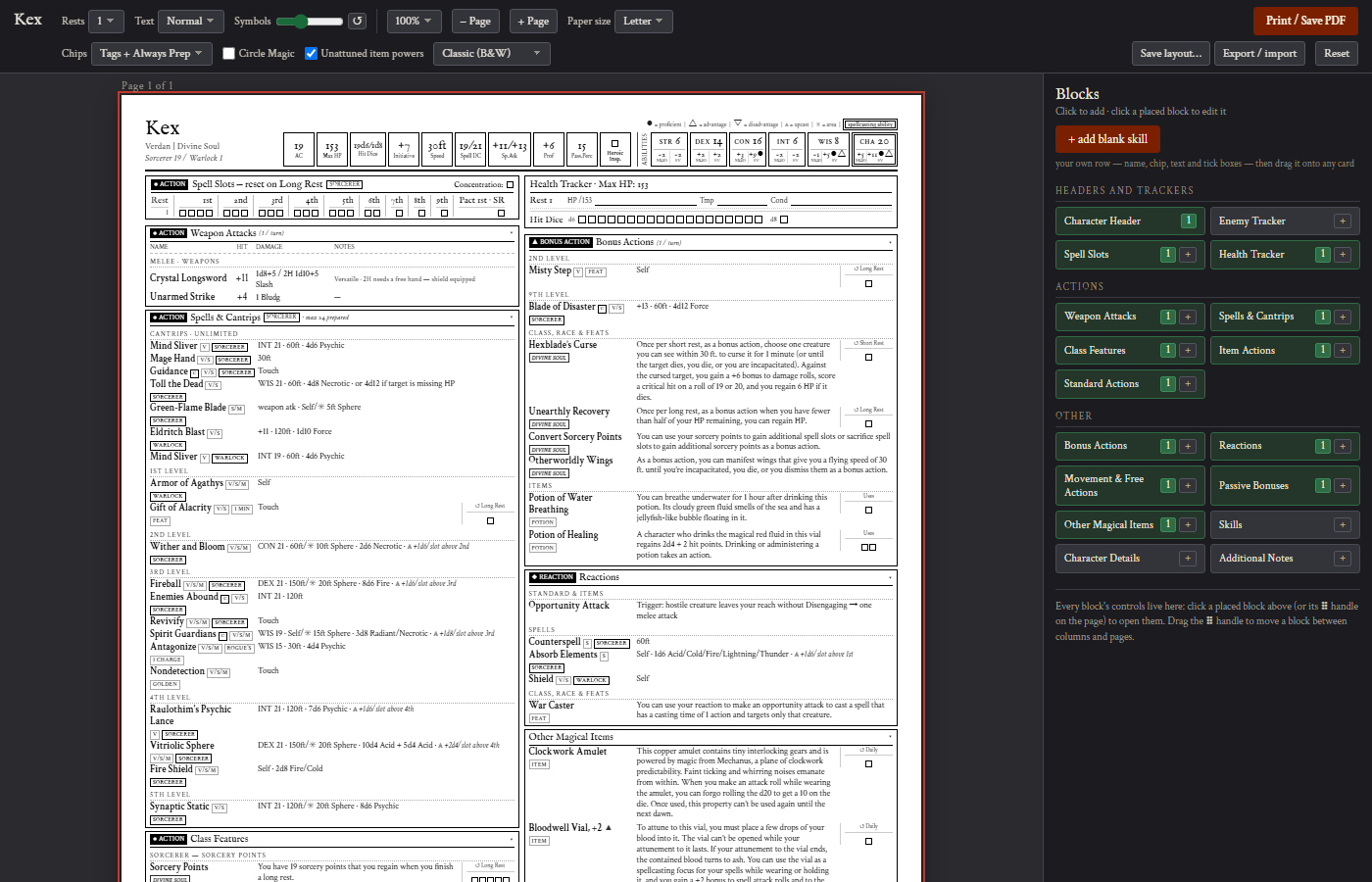
Shape it with the Layout Builder
Drag any card anywhere, across as many pages as you like. Hide the rows you never read, rename cards, rewrite descriptions in your own words, add rows, attacks or spells of your own, and colour everything a given ability drives in one click. Optional Summons and Extras cards put every stat block your character can call on — familiars, summons, companions, Wild Shape forms — together in one place. Layouts are saved per character, so the sheet you tuned stays tuned — and a new character can copy the layout of one you have already built.
Numbers you can trust
D&D Beyond’s own data disagrees with itself in places. Battlesheets resolves those rather than copying them.
- Shillelagh with Potent Spellcasting counts your Wisdom once, not twice.
- A weapon mastery only prints if you are actually trained in it, which matters because an untrained off-hand attack costs a bonus action.
- A feature whose die grows with your level shows the die you have now, not an out-of-date copy.
- Finesse attacks such as a Soulknife’s Psychic Blades use the better of Strength and Dexterity.
Built by players, for players
New content from D&D Beyond is supported quickly, updates reach you with nothing to reinstall, and bugs and requests are answered fast in the Discord. Most of what ships started as someone’s message there. It’s free and needs no account.